
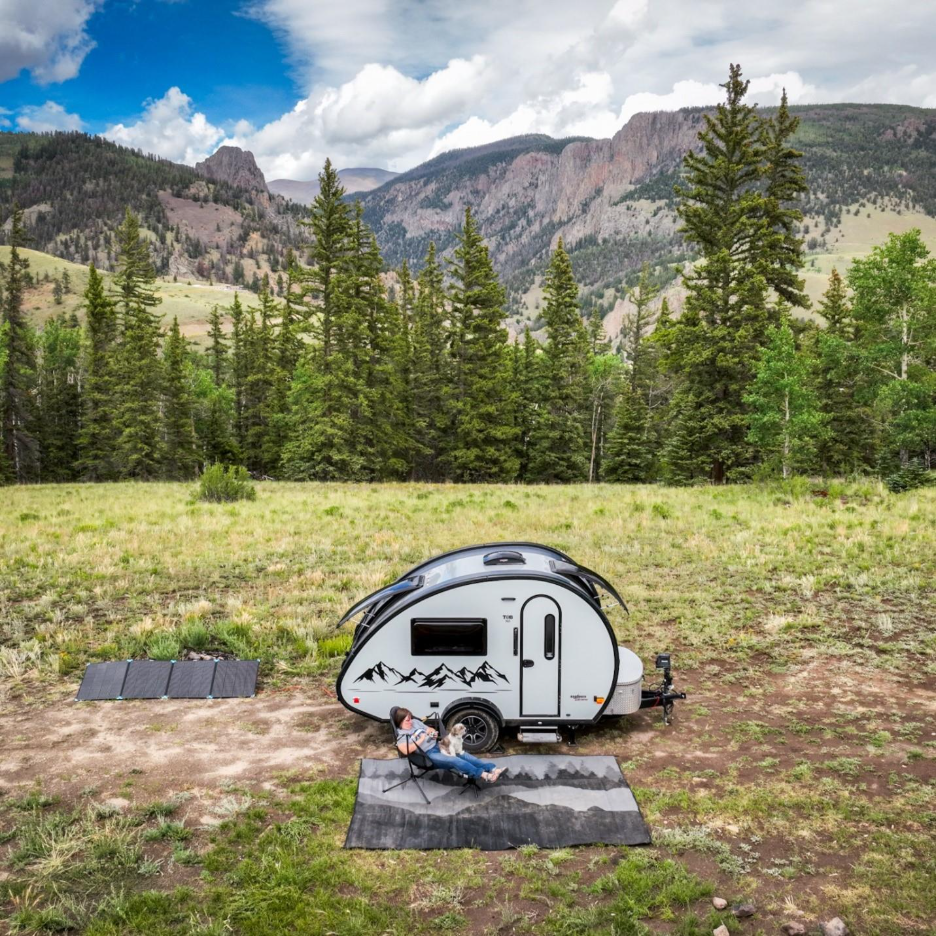
“I would love to do that.” became “I think I can do that.”
Shortly after purchasing my first TAB, I started dreaming about working remotely from incredible locations. However, I faced a challenge—I realized that a key to making this happen was gaining confidence in off-grid camping. How long could I last, and what did I need to learn to make it work?
I didn’t understand RV batteries, power, or solar systems, and I wasn’t eager to dive into the technical details. Still, driven by the vision of remote work, I pushed forward. After several months, a few modifications, and purchases later, I headed to the mountains to work and play. This early beginning has evolved into a way of life for me, and with a few years of experience, I knew exactly what I would need when I upsized to my new 2026 TAB 360, which I affectionately call “Minnie Pearl.”
Right-Sizing the Power Capability
One of the things I learned early on in TAB ownership is to be realistic about your power needs. I knew that to work remotely, I needed to be able to power my laptops, an inverter, Starlink, and a hair dryer. I also learned that even in typically blue-sky locations, you can experience several days of cloud cover, so solar alone isn’t enough; you need enough battery capacity to store energy. I also like to be able to catch the news, a movie, or sports events when the mood strikes, so I prefer to allow for a little cushion and not just the bare minimum for power capability.
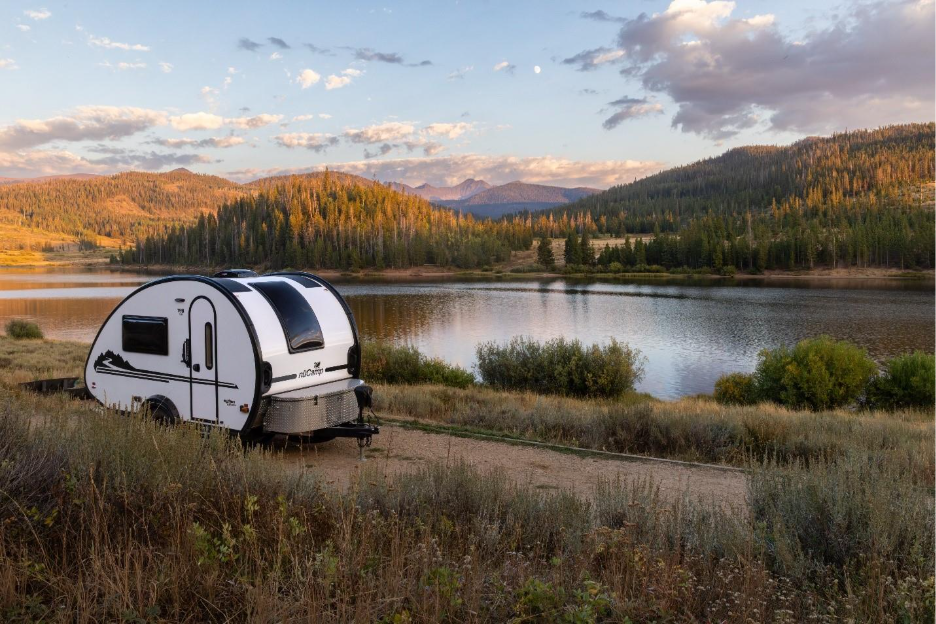
If you are new to all of this, you may really have no idea of how much power will be required. I know I didn’t have a clue. This is why I developed a spreadsheet to help me model my power usage, which has now evolved into an online tool to help estimate my power usage. I can plug in all the details of my power usage, battery capacity, solar, even my location, time of year, and weather to get an idea and answer that popular question, “How long will my battery last?”
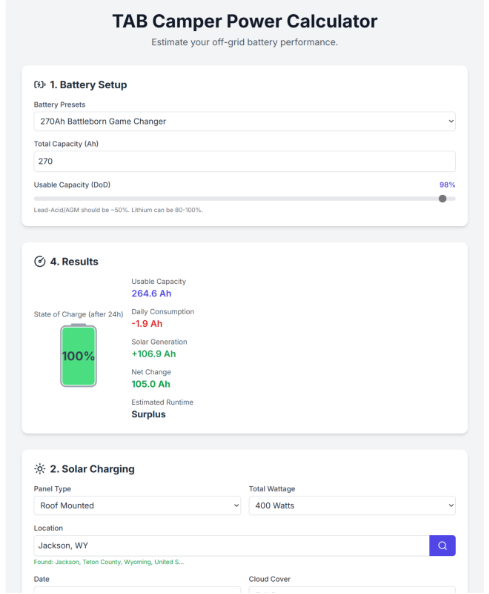
A day in life (of my power usage)
If you work remotely, I am guessing your days look a little like mine, from an energy consumption standpoint.
Because I kept an east coast schedule, my days start well before sunrise and before the solar panels start generating more energy. This is where the battery size is important. Starting the day with a shower and hair drying, I tapped into the battery capacity right away and didn’t let up until I was done with work on most days, and some days that carried right into the evening.
Test driving the setup
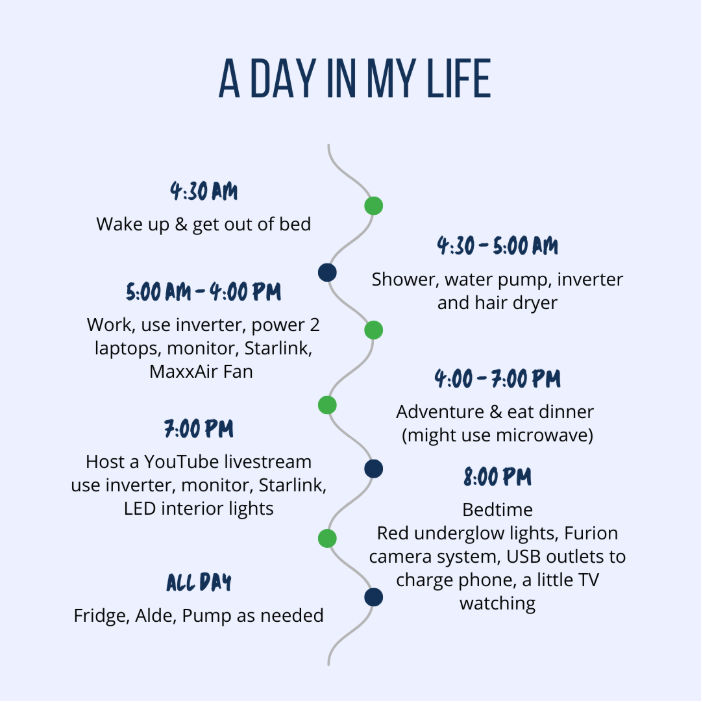
When I picked up the TAB 360 prototype from nuCamp last summer, I had the chance to test-drive my current power setup. After a couple of brief stops, I headed straight for the mountains, where I boondocked for several weeks off-grid. To meet my higher-than-average power demands, the prototype was outfitted with:
- The Lithium Upgrade package (270ah Battleborn Gamechanger battery and the Victron Multiplus)
- The Black Canyon package with two 190-watt solar panels on board
- A Victron solar controller between the quick-connect port and the battery installed by the nuCamp Service Center
I supplemented the on-board solar with two 200-watt solar panels, which I connected in series to the quick-connect port on the TAB.
After the thorough test-drive, I found that this setup perfectly suited my needs, and it is exactly how I outfitted my new 2026 TAB 360.
Monitoring The Battery & Solar
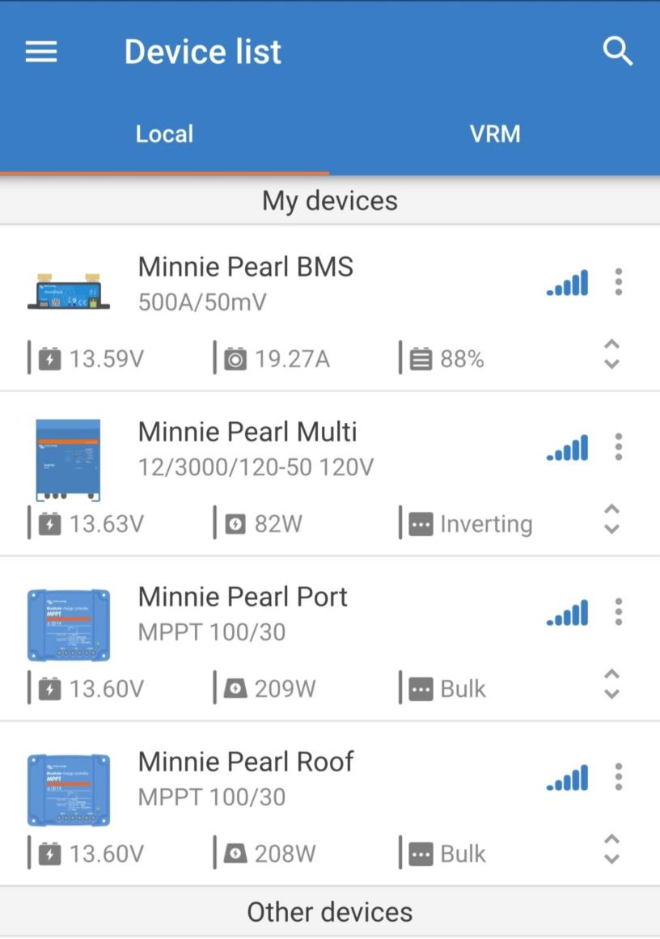
The Victron Connect app is the hub for monitoring my power situation. The Victron BMS (Battery Monitoring System), Solar Controllers, and Multiplus are not only monitored from the app, but you can use Victron’s smart networking to optimize charging. As you can see, both the standard rooftop solar (Minnie Pearl Roof) and the additional Victron Controller I added appear in the app. Only Victron devices will be reflected in the Victron app.
Real Life Performance
On strong solar yield days, I generally was back at 100% before midday and stayed above 90% until the sun started to dip below the mountains. But even on cloudier and stormy days, I was able to usually get back to 100%, especially if I could be a little conservative with power use. It was so reassuring to be confident in the setup and focus on work and not worry about running out of power. I do try to ration power and plan carefully for my higher power need items like the hair dryer, microwave, and air fryer.
People often ask if I use a generator. My response is usually, “not yet.” I don’t rule it out, but so far, I have not needed one. I can think of only once or twice where power has been an issue with a lot of cloudy weather in the fall, and I just grabbed an electric campsite for the night in those cases.
Tips for Managing and Understanding Your Power Consumption
Some tips about understanding your power use:
- On hot days, your fridge compressor runs more, especially if your fridge is facing the hot afternoon sun. This uses more power.
- Your LED inside lights use very little power. The inverter and AC-powered devices typically use the most, followed by the TV, fan, and pump.
- Solar yield is at peak in the summer months, and the closer you get to the shoulder seasons and winter, the poorer your solar yield.
Planning for Success
With a bit of planning and the right gear, staying powered up while working remotely is totally doable. Supplementing my setup with extra solar panels and keeping an eye on how I use energy means I rarely worry about running out—even on less sunny days. Knowing how much juice each appliance draws, and tweaking my habits as the seasons change, lets me focus on work and enjoy the road. With some common sense and a reliable setup, I’m able to keep everything running smoothly and avoid the stress of a dead battery.
One response to “The Dream and the Drive ”
Leave a Reply
Recent Articles


The purpose of the multiplus 12|3000 is for AC current? It’s an inverter? It allows you to plug in a laptop or air fryer etc.?
You have an MPPT for the roof solar and another one for the supplemental solar. Can one 100|30 MPPT handle both the 380 watts of roof solar and the 400 watts of suitcase solar inputs?
Can one 100|30 MPPT handle 3-100 amp-hr batteries? I was wanting to add batteries as the 1 – 100 amp hr BB battery got drained on the second day of our 1500 mile drive home after purchase. It was overcast for the 7 hour drive that day. No help from the sun and a trickle from the car.
The BMS 500A/50mA monitors both MPPT controllers (and the Multiplus)? I’m not sure what this device does. Is it a smart device that allows you to see how your devices are working together or does it do more than monitor?
I love the, managing your power, tool you created with the preset amp. Just select what’s active and it gives you the number of days you should have power for ideal conditions.
Thank you for creating this.